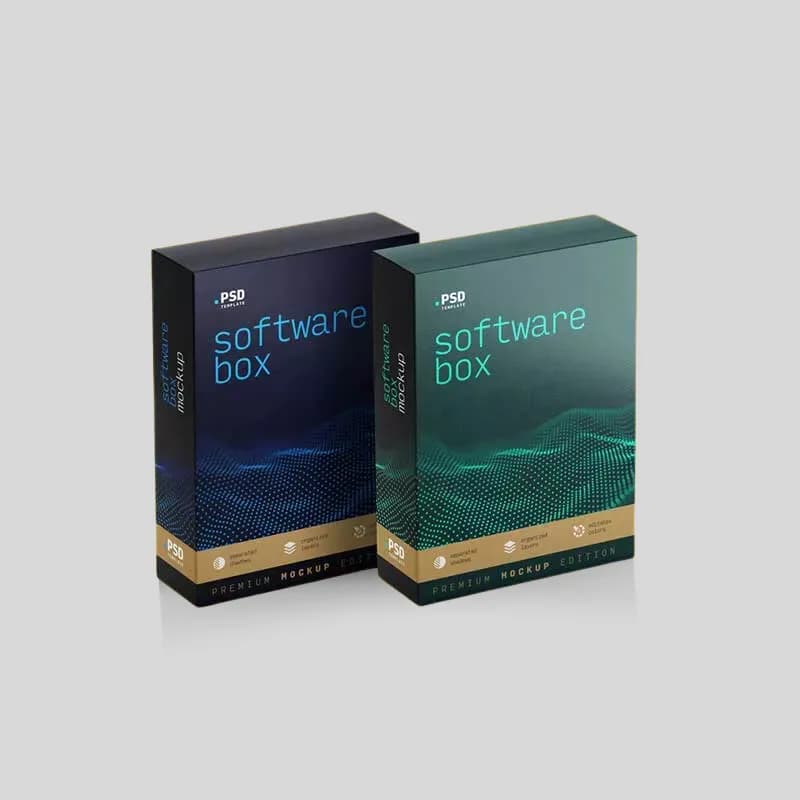
To choose custom software boxes, start with what the package must hold: a USB drive, license card, manual, warranty card, cable, retail insert, or full onboarding kit. Then match the structure to the sales channel. Folding cartons work for lightweight retail software. Sleeve-and-tray boxes suit premium reveals. Rigid boxes fit enterprise kits and high-value launches. Mailer software boxes protect ecommerce and direct-to-customer shipments.
Software packaging is no longer only a disc box. Many digital brands ship activation keys, hardware dongles, training materials, branded cards, QR onboarding inserts, recovery media, and launch gifts. The right custom box should protect those components, make the product feel credible, and give the buyer a clean path from unboxing to activation.
Brisk Packaging offers multiple software packaging styles, including Custom Printed Software Boxes, Custom Sleeve & Tray Software Boxes, Custom Luxury Software Rigid Boxes, and Custom Mailer Software Boxes. Use this guide to prepare the structure, insert, material, artwork, and quote details before production.
What Software Packaging Needs to Do
Software boxes have a different job than ordinary retail cartons. The physical product may be small, but the perceived value is often high. A thin activation card can represent an annual subscription, a professional tool, a training course, a gaming title, or a B2B onboarding package. The packaging must make that value visible while keeping every component organized.
A strong software box usually needs to handle five duties:
- Component control: USB drives, cards, manuals, booklets, stickers, cables, and small accessories should not rattle around loose.
- Dust and scuff protection: Printed cards, discs, and glossy manuals should stay clean during warehousing and shipping.
- Retail communication: The front panel needs clear product name, edition, platform, use case, compatibility notes, barcode, and compliance or age-rating space where relevant.
- Activation clarity: Buyers should immediately find the QR code, product key, setup instructions, or support URL.
- Presentation value: A software launch kit, security-device kit, or enterprise onboarding package should feel more intentional than a plain envelope.
If your package only contains a printed card, a slim folding carton may be enough. If it contains multiple pieces, choose a tray, insert, or mailer format that creates a fixed place for each item.
Compare the Main Custom Software Box Styles
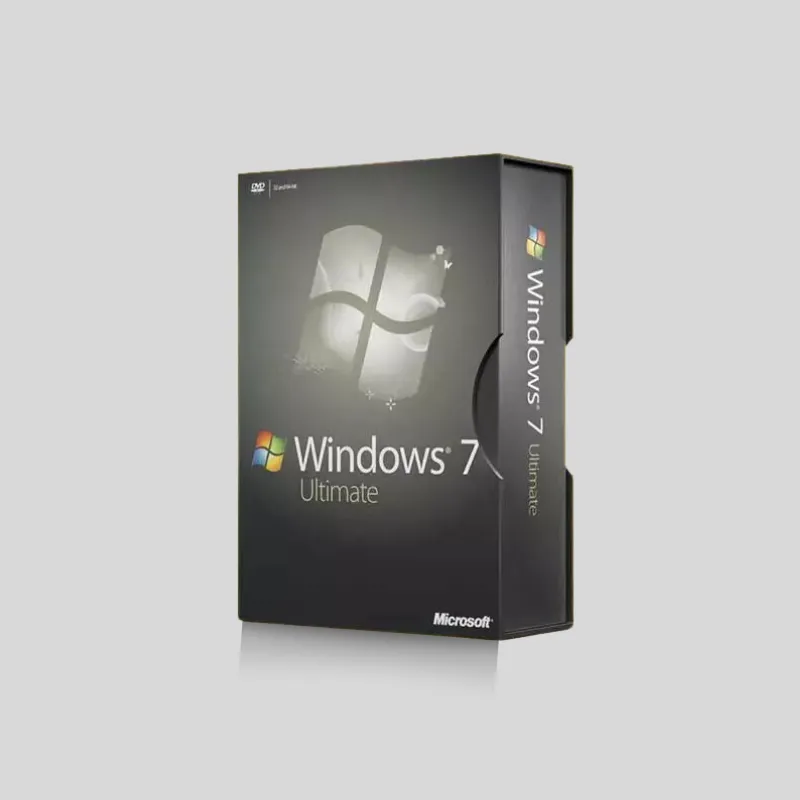
Different software products need different structures. Do not pick a box because it looks premium in isolation. Pick it because it fits the product, channel, and fulfillment workflow.
Folding Carton Software Boxes
Folding cartons are the most practical choice for many retail software products. They ship flat before packing, print well, and can be sized for a USB stick, license card, DVD case, or small instruction booklet. Straight tuck, reverse tuck, and seal-end styles are common choices.
Use folding cartons when the product is lightweight and needs strong shelf graphics more than a luxury reveal. They are also useful for multi-SKU lines where each edition needs different artwork but the same basic dieline.
Best for:
- Retail software cards
- USB license kits
- Lightweight training materials
- Small manuals and activation cards
- Product lines with several versions or editions
Sleeve-and-Tray Software Boxes
A sleeve-and-tray box gives software packaging a more deliberate opening experience. The outer sleeve carries branding, product information, and visual identity. The inner tray holds the product components in place. This style works well when the first impression matters and the product has more than one piece.
A custom tray can be designed for a USB drive, activation card, manual, branded sticker, or welcome note. The sleeve can also carry security labels, batch information, or version identifiers without cluttering the tray interior.
Best for:
- Premium software releases
- Creator toolkits and launch kits
- USB and license-card bundles
- Education or training software kits
- Retail products that need a controlled reveal
Rigid Software Boxes
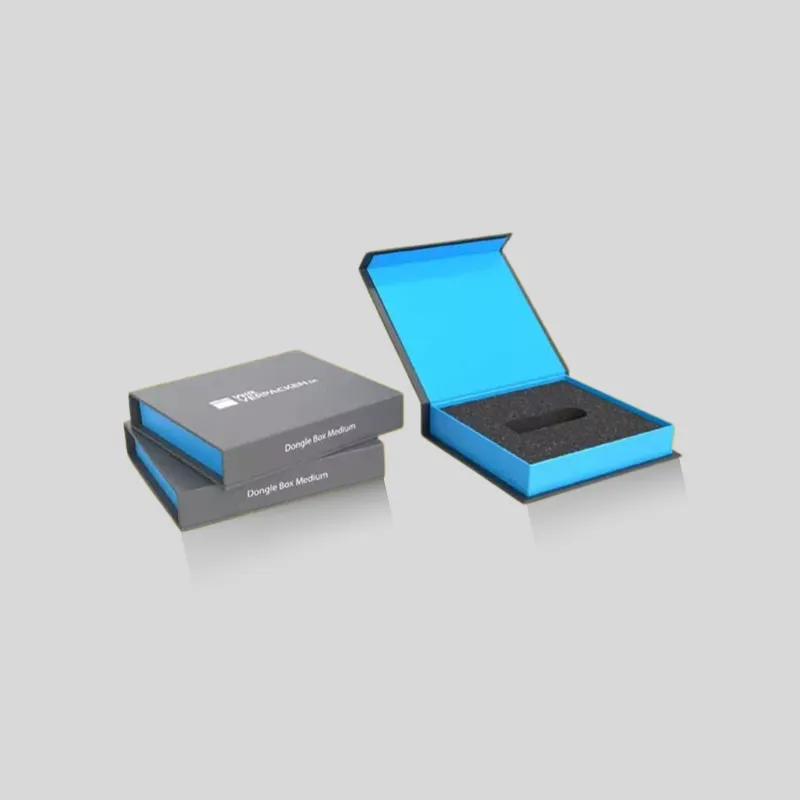
Rigid boxes use thicker board than folding cartons and create a stronger presentation. They are usually chosen when the packaging must support a premium price point, protect a high-value kit, or serve as a keepsake storage box after opening.
For software, rigid boxes are useful when the package includes hardware keys, multiple printed components, cables, branded merchandise, or a high-touch onboarding sequence. Magnetic closures, two-piece boxes, drawer boxes, and sleeve/tray rigid formats can all work depending on the desired reveal.
Best for:
- Enterprise onboarding kits
- Cybersecurity hardware token kits
- Premium training programs
- Collector editions and boxed software launches
- B2B sales kits with several components
Mailer Software Boxes
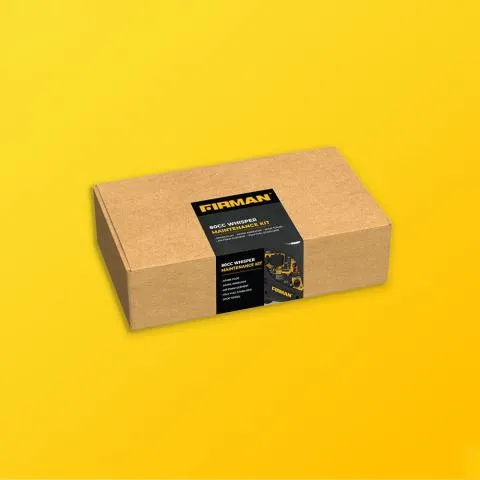
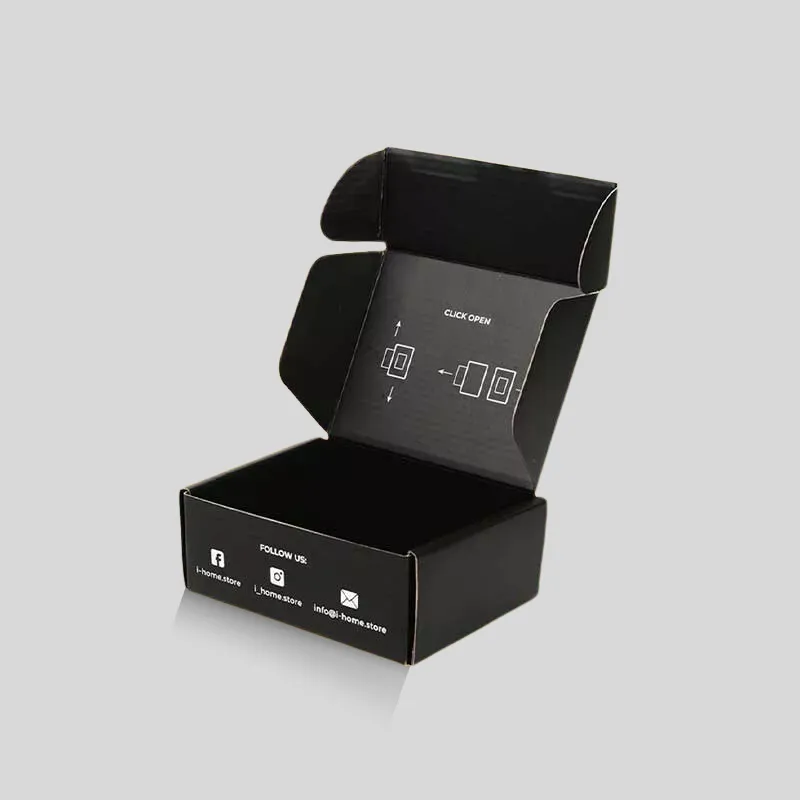
A software mailer box is built for shipping, not just shelf display. Corrugated or sturdy paperboard mailers help protect the contents during ecommerce fulfillment and direct mail campaigns. They can still look polished with inside printing, branded tissue, inserts, and a clean setup guide.
Use mailer software boxes when your main channel is online sales, sample sending, partner onboarding, influencer kits, or B2B fulfillment. The mailer should pass your packed-product handling checks with the actual USB, card, manual, and accessories inside.
Best for:
- Ecommerce software sales
- SaaS welcome kits
- Partner enablement packages
- Trial kits and training materials
- Direct-to-customer activation bundles
Portable and Storage-Oriented Software Boxes
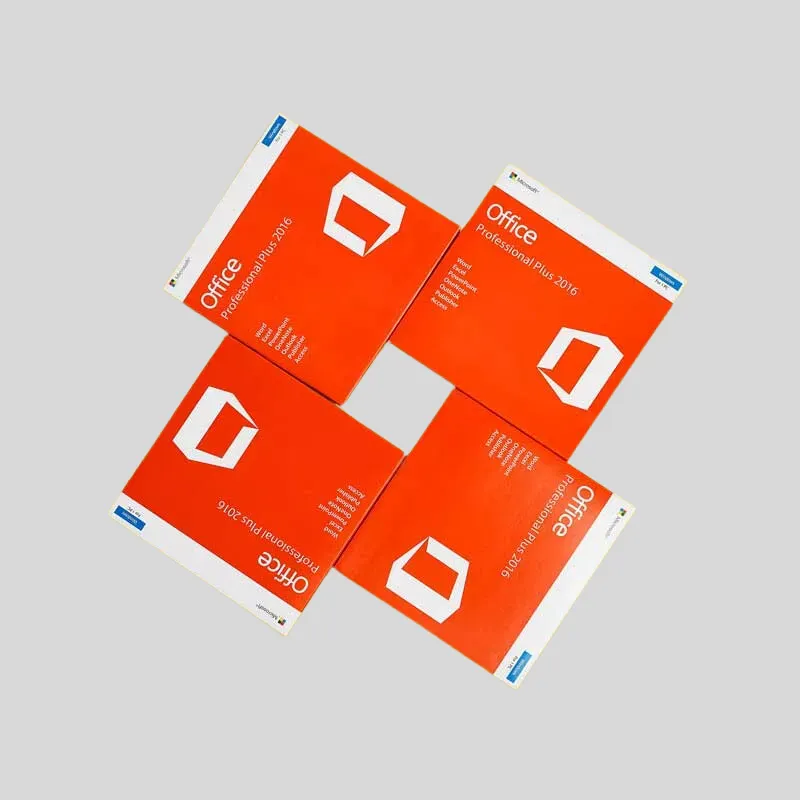
Some software packaging needs to be kept, carried, or stored. Portable boxes can be useful for field installation kits, IT deployment packs, training manuals, or software that includes reference cards and physical accessories. A slightly larger structure may help customers keep everything together after the first setup.
For these boxes, think beyond the opening moment. Consider whether the customer will need to return to the box for a license document, spare USB drive, printed quick-start guide, or maintenance reference.
Inserts and Fit Planning for Software Components
The insert is often the difference between professional software packaging and a messy box. Without an insert, small items slide, scratch, and hide under manuals. With the right insert, the customer understands the product sequence at a glance.
Common insert options include:
- Paperboard dividers: Good for lightweight cards, booklets, and flat accessories.
- Folded card platforms: Useful for presenting a USB drive or activation card on top of the box.
- Foam or EVA cavities: Better for dongles, hardware security keys, small electronics, or premium kits.
- Molded pulp inserts: A more fiber-based option for brands that want a natural presentation.
- Sleeve pockets: Helpful for manuals, warranty cards, and product key documents.
When planning inserts, send the real product dimensions, not only the outside box size. Include the length, width, height, weight, and tolerance needs for every component. A USB drive with a metal key ring, for example, may need more clearance than a simple plastic flash drive.
Materials, Printing, and Finishes
Software packaging often relies on clean graphics and precise typography. Small type, compatibility notes, QR codes, platform icons, and barcode areas must remain sharp. Choose materials and printing methods that support that level of detail.
For lightweight cartons, SBS paperboard gives a smooth white printing surface. Kraft board can work for eco-positioned products, but dark colors and fine details may need extra planning. Corrugated board works for mailer boxes and heavier kits. Rigid board is appropriate when the package must feel substantial and survive repeated handling.
Printing and finishing options to consider:
- CMYK printing: Good for full-color graphics, product imagery, and standard brand artwork.
- Pantone spot colors: Useful when the brand color must match precisely across packaging, labels, and cards.
- Matte lamination: Creates a modern, reduced-glare finish for premium software packaging.
- Gloss coating: Adds shine and stronger visual contrast for retail shelves.
- Soft-touch finish: Works well for enterprise and luxury software kits.
- Foil stamping: Highlights logos, edition names, or premium badges.
- Embossing or debossing: Adds tactile value to rigid boxes and sleeve packages.
- Spot UV: Draws attention to product names, icons, or key visual elements.
If the package includes QR codes or small activation text, keep those areas free from heavy texture, deep embossing, or reflective finish that could interfere with scanning.
Retail, Ecommerce, and Enterprise Use Cases
A retail software box must sell quickly from the shelf. It needs a clear front-panel hierarchy: product name, version, platform, key benefit, system compatibility, and barcode placement. If the product sits near electronics, education, or gaming items, strong color coding can help buyers identify the right edition quickly.
An ecommerce software box has a different job. It must survive fulfillment and make the unboxing feel organized after shipping. A mailer with a printed interior, product card, and insert can create a better experience than a plain shipping carton.
An enterprise software kit may be opened by an IT buyer, purchasing manager, installer, or new employee. The packaging should reduce confusion. Put the setup path in order: welcome note first, quick-start card second, USB or hardware key third, documentation last. A custom insert can make that sequence visible without extra explanation.
Cost and MOQ Factors to Plan Before Quoting
Custom software box pricing depends on structure, material, size, insert complexity, print coverage, finish choices, and production quantity. A simple folding carton with one print version is usually easier to estimate than a rigid kit with foam inserts, foil stamping, and multiple printed cards.
Before requesting a quote, prepare:
- Product dimensions for every component.
- Packed weight of the full software kit.
- Sales channel: retail shelf, ecommerce, distributor, event kit, or enterprise onboarding.
- Preferred structure: carton, sleeve-and-tray, rigid, mailer, or portable box.
- Insert requirement: paperboard, foam, molded pulp, or none.
- Artwork needs: outside print, inside print, QR code areas, barcode zones, and version variations.
- Finish preferences: matte, gloss, soft-touch, foil, embossing, debossing, or Spot UV.
- Quantity, delivery destination, and project timeline.
A packaging specialist can then recommend a dieline, material grade, print method, and sample path without guessing around missing dimensions.
Common Mistakes to Avoid
The most common software packaging mistake is treating the box as a generic rectangle. Software kits often contain small, flat, and high-value components. If the internal layout is not planned, the package may look empty or disorganized when opened.
Avoid these issues:
- Choosing a box before measuring the USB, card, manual, and accessories.
- Leaving no dedicated space for activation instructions or support links.
- Printing QR codes on curved folds, seams, or highly reflective finishes.
- Using a folding carton when the contents require a rigid or mailer structure.
- Overbuilding a luxury box for a simple one-card retail product.
- Forgetting barcode, SKU, compatibility, and version-control zones.
- Using loose inserts that shift during shipping.
- Approving artwork before reviewing the dieline fold, glue flap, and trim areas.
When to Request Samples and Dieline Support
Request a sample when the box has more than one component, when the software product includes hardware, or when the unboxing sequence matters. A physical sample helps confirm insert fit, opening resistance, print scale, QR-code placement, and whether the box feels too empty or too tight.
For a Brisk Packaging quote, send product dimensions, component photos, artwork files if available, target quantity, and the intended sales channel. The Brisk team can help with dieline review, material selection, insert planning, and custom software box samples before full production.
FAQ
What are custom software boxes?
Custom software boxes are printed packaging structures made for physical software-related products such as USB drives, activation cards, manuals, discs, hardware keys, training kits, or onboarding materials. They can be folding cartons, sleeve-and-tray boxes, rigid boxes, mailers, or portable storage-style boxes.
Which box style is best for software packaging?
The best style depends on the product and sales channel. Folding cartons work for lightweight retail software. Sleeve-and-tray boxes work for premium reveal and organized kits. Rigid boxes work for high-value presentations. Mailer boxes work for ecommerce and direct shipping.
Do software boxes need custom inserts?
Custom inserts are recommended when the package includes more than one component or when small items must stay visible and secure. Inserts can hold USB drives, cards, manuals, dongles, cables, and printed collateral in fixed positions.
What information should I send for a software box quote?
Send the dimensions and weight of every component, preferred box style, insert needs, artwork files, quantity, finish preferences, shipping destination, and timeline. If you are unsure, send product photos and ask for dieline and sample guidance.
Can Brisk Packaging make printed software boxes with premium finishes?
Yes. Brisk Packaging supports custom printed software boxes with options such as matte or gloss finishes, soft-touch coating, foil stamping, embossing, debossing, Spot UV, custom inserts, and branded mailer or rigid structures.